Dashboard Overview
Learn to use the SyAuth Dashboard to manage your applications, users, and settings.
Accessing the Dashboard
- Go to syauth.com/dashboard
- Sign in with your Nexorix account
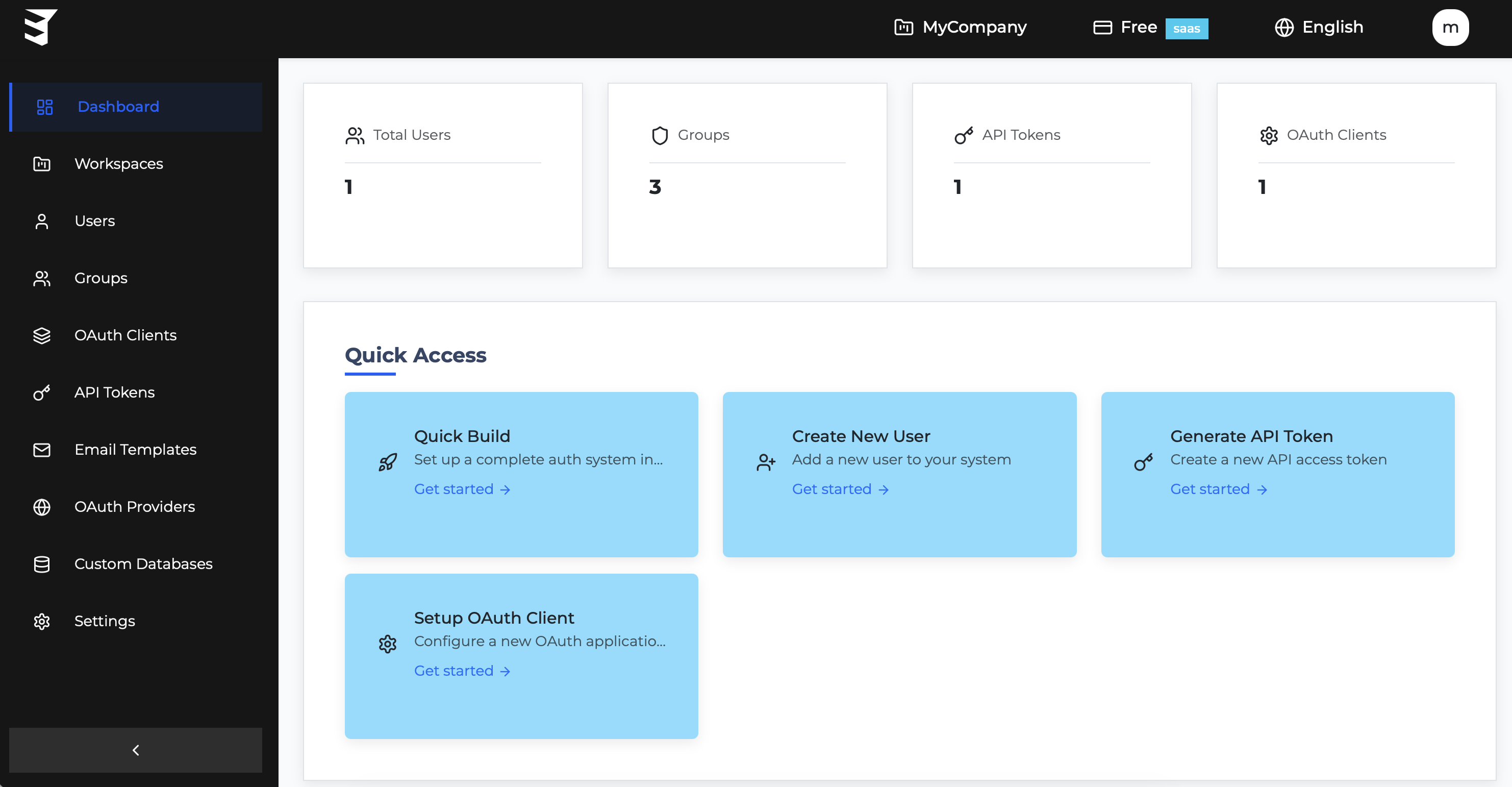
Dashboard Sections
| Section | Description |
|---|---|
| OAuth Clients | Manage OAuth clients |
| QuickBuild | Fast-track integration wizard |
| Users | View and manage end users |
| Groups | Create and manage user groups |
| Providers | Configure social login providers |
| Custom Databases | Connect external databases |
| Email Templates | Customize email templates |
| API Tokens | Manage API tokens |
| Workspaces | Manage workspaces and teams |
Overview Page
The Dashboard home shows:
- Total Users - Number of registered users
- Active Clients - Number of OAuth clients
- Total Groups - Number of user groups
- Recent Activity - Latest authentication events
Workspace Selector
Use the workspace dropdown in the header to:
- Switch between workspaces
- View workspace settings
- Create new workspaces
Getting Started
New to the Dashboard?
- Create an OAuth Client - Set up your first OAuth client
- Configure Providers - Enable social login
- Customize Branding in your Dashboard - Brand your login pages
Quick Actions
From the Dashboard overview, you can:
- Create new OAuth clients
- View recent users
- Access workspace settings
- Generate API tokens